
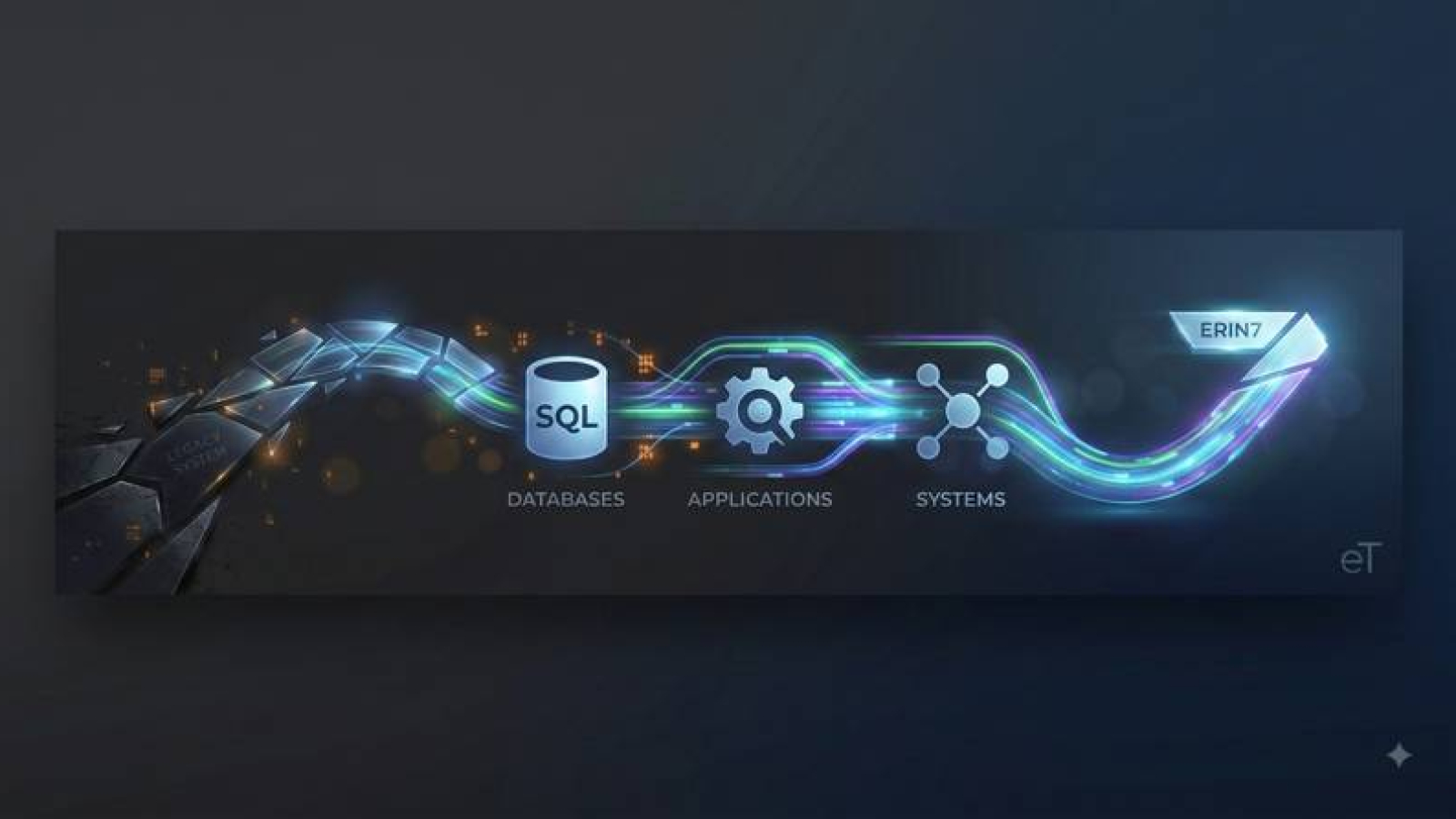
If your agency is still running evidence tracking on a legacy system — or worse, on paper — you already know the daily cost. You know it every time a chain-of-custody form has smudged ink that nobody can read. You know it every time an officer has to hunt through a binder to find one item. And you know it every time an audit turns into a week of panic instead of a routine check.
Many agencies stay on a legacy system longer than they should, not because the old system works well, but because switching feels like a bigger risk than staying put. That fear is understandable. Nobody wants to lose years of case history or spend months retraining a whole department. But the actual process of moving to ERIN7 is far more manageable than most agencies expect, and it starts with a simple truth: your data comes with you.
The Problem with Waiting on a Legacy System
The Madison County Sheriff’s Office in upstate New York had been using a warehousing system built back in 1995. At one point, three agencies nationwide used it. By the time Investigator Frank McCully’s department switched, they were the only ones left. Support for the software had dried up, provided by a single person who eventually told them it was time to move on.
Before that, Frank worked at a department where everything was done by hand — paper property receipts, handwritten descriptions, handwritten chain-of-custody forms that followed each item from the scene to a binder on a shelf. He described the frustration plainly: officers skipping required fields, handwriting nobody could read, and hours lost simply checking an item in or out. “The chain-of-custody, the continuity of that item and that paperwork, could make or break a case,” he said.
That risk sits at the center of every evidence room still relying on paper, spreadsheets, or software nobody maintains anymore. A missing signature or an illegible date isn’t just an inconvenience. It can be the detail a defense attorney uses to challenge your case in court.
What the Switch Actually Involves
Moving to ERIN7 isn’t a single overwhelming event. It happens in stages, and your agency stays in control of the pace at every step.
Getting your existing data in. ERIN7 includes a built-in data importer that works with standard spreadsheet files, so records from your current system don’t have to be manually retyped one by one. When Frank’s department made the switch, one of his top priorities was making sure existing storage locations transferred over cleanly — he didn’t want to “reinvent the wheel” just because the software changed.
Connecting to the systems you already use. Most agencies don’t run evidence tracking in isolation — a records management system (RMS), a lab system, or other agency software is often already part of the daily workflow. ERIN7 is built with an API infrastructure specifically to interface with an RMS or other external systems, allowing information to flow between them instead of being entered twice. That connection isn’t just a one-time convenience for migration, either. Once your agency is live on ERIN7, that same API groundwork keeps your systems talking to each other, so evidence data stays consistent no matter which system your team is working in on a given day.
Building the system around your agency, not the other way around. This is where ERIN7 differs most from a rigid, one-size-fits-all system. Every case type, item category, storage location, and data field can be configured to match how your agency already operates. Megan Radcliffe, a lab supervisor who has worked extensively with the system, describes ERIN7 as a skeleton — you add the meat and skin to make it fit your operation exactly. Storage locations can be nested to mirror your physical shelving, right down to room, shelf, and bin. Custom fields, form templates, and screen layouts can all be set up without needing outside developers.
Setting up users, roles, and permissions. Instead of configuring access to a function one employee at a time, ERIN7 uses role-based permissions. An administrator might have full access, a records clerk might be able to enter data but not delete it, and an officer might have view-only access — each role is set up once and then assigned to the right people.
Training your team. This step is often what agencies worry about most, and it’s built to remove that worry. ERIN Technology offers free, unlimited online training, along with one-on-one retraining for new staff. Frank was direct about why this mattered to him: “We are creatures of habit in law enforcement. You put a different computer program in front of them and they almost vapor lock and they want nothing to do with it.” Straightforward training, along with tooltips and placeholder text built into every screen, is designed to keep that resistance low.
Going live and fine-tuning. Most agencies don’t finish configuring every detail before they start using ERIN7 day to day. Megan described the honest timeline: it can take a week, two weeks, or even a couple of months to fully configure the system to your liking — but the payoff is worth the investment. With 10,000 items in storage, her team can now locate any item quickly because their physical organization mirrors their ERIN7 setup. The system keeps improving as you use it; nothing has to be perfect on day one.
Your Data Stays Protected the Entire Time
Security isn’t something bolted on after migration — it’s built into the platform from the start. ERIN7 runs on Microsoft Azure Government Cloud, a hosting environment built exclusively for U.S. government agencies and operated by screened U.S. citizens. Every connection is protected with TLS 1.2 encryption, and the platform meets CJIS, FIPS 140-2, and SOC 2 Type 2 standards. Each agency’s data is also logically separated in its own database, so your records are never mixed with another agency’s. That protection applies during the migration itself, not just after you’re fully switched over — and it extends to the API connections linking ERIN7 to your other systems as well.
What to Expect After You Move
Once your agency is up and running, the daily frustrations of the legacy system tend to disappear quickly. Detective Lonnie Tuthill of the Greene County Sheriff’s Office put it simply: switching helped his department get organized and, for the first time, accredited by the state. Marie Little, an evidence custodian in Elmira, New York, said the search function alone made ERIN7 a huge time-saver compared to the paper-and-card system her department used before.
Audits stop being a scramble. Instead of digging through binders or cross-referencing spreadsheets, your team can generate discrepancy reports, chain-of-custody records, and inventory audits directly from the system whenever needed. Barcode labels — both 1D and 2D — make check-in and check-out faster and reduce human error at the point where most mistakes happen.
Moving Forward, One Step at a Time
Switching away from a legacy system will always feel like a leap when you’re the one carrying years of case history on your shoulders. But the actual process — importing your data, connecting it to the other systems your agency depends on, shaping the system to fit your agency, training your team at no extra cost, and going live at a pace that works for you — is designed to be manageable, not disruptive.
If your agency is still relying on a legacy system or paper process, the biggest risk usually isn’t switching. It’s waiting until the old system fails you when you can least afford it.
To talk through what migration would look like for your agency specifically, contact ERIN Technology at (855) 558-3746 or visit erintechnology.com to schedule a time to talk.